Best AI Prompt Generators in 2026: 9 Tools Compared (Free and Paid)

An AI prompt generator turns a rough idea, such as "write a launch email for our new feature", into a structured prompt with a role, context, task, constraints, and output format. The right one saves you several rounds of back-and-forth with ChatGPT, Claude, or Gemini.
There are now dozens of these tools, and they solve different problems. Some generate a prompt from scratch, some improve one you already wrote, and some manage and test prompts for whole teams. This guide compares nine of them so you can pick the right one in a few minutes.
Disclosure: PromptPal is our product, and we put it first because it is the only tool on this list that covers every step: generating, refining, saving, testing, sharing, and using prompts inside other AI tools. We have tried to be fair to every tool, including PromptPal's limits. Prices are taken from each tool's public plans in 2026 and can change, so check before you buy.
Quick answer: the best AI prompt generators in 2026
Best overall: PromptPal. It goes from a one-line idea to a scored, ready-to-use prompt, with 2,300+ templates, a free tier, and team features.
Best for Claude API developers: Anthropic Console prompt generator
Best for OpenAI API developers: OpenAI Playground prompt generation
Best for team prompt management: PromptHub
Best for testing prompts in production apps: PromptLayer
Best for guided, question-based refinement: Prompt Cowboy
Best template library inside ChatGPT: AIPRM
Best quick generator with no account: Jotform AI Prompt Generator
Best free fallback: asking ChatGPT, Claude, or Gemini to improve your prompt
Comparison table
PromptPal (Best for: Everyone, from first prompt to team library; Models: ChatGPT, Claude, Gemini, DeepSeek, Midjourney, Perplexity and more; Templates: 2,300+; Free plan: Yes, 100 credits a month, no sign-up for the first prompt; Paid from: $7.99/month)
Anthropic Console (Best for: Claude system prompts; Models: Claude only; Templates: None; Free plan: Pay for API usage; Paid from: API usage)
OpenAI Playground (Best for: OpenAI system prompts; Models: OpenAI only; Templates: None; Free plan: Pay for API usage; Paid from: API usage)
PromptHub (Best for: Team prompt management; Models: Multi-model; Templates: Community templates; Free plan: Yes, public prompts only; Paid from: $12/month)
PromptLayer (Best for: Testing and versioning in apps; Models: Multi-model; Templates: None; Free plan: Yes, 10 prompts; Paid from: $49/month)
Prompt Cowboy (Best for: Guided refinement; Models: ChatGPT, Claude; Templates: Yes; Free plan: Yes, 10 prompts a month; Paid from: $11/month)
AIPRM (Best for: Templates inside ChatGPT; Models: ChatGPT (browser); Templates: Community marketplace; Free plan: Yes; Paid from: Paid tiers)
Jotform AI Prompt Generator (Best for: One-off prompts, no account; Models: Text and image models; Templates: None; Free plan: Yes, unlimited; Paid from: Free)
ChatGPT, Claude, or Gemini (Best for: Quick fixes; Models: The one you use; Templates: None; Free plan: Yes; Paid from: Included)
What is an AI prompt generator?
An AI prompt generator is a tool that takes a plain-language description of what you want and turns it into a prompt an AI model can follow reliably. A good generator adds what you would otherwise forget:
a role for the model to take on
the context it cannot guess, such as your audience or product
the specific task
constraints that must not be broken
the output format, such as length, sections, or JSON keys
Three kinds of tools get called prompt generators, and it helps to know which one you need:
Generators create a new prompt from your idea.
Optimizers rewrite a prompt you already have.
Prompt managers store, version, test, and share prompts across a team.
The best tools do all three.
How we chose these tools
We looked at each tool against six criteria:
Prompt quality: does the output include a role, context, task, constraints, and format, without filler?
Model support: can you target ChatGPT, Claude, Gemini, and other models, and does the prompt change to suit each?
Templates: is there a library of ready-made prompts to start from?
Iteration and testing: can you refine, compare versions, and test the prompt against real models?
Saving and sharing: can you keep prompts in a library and share them with a team?
Price and setup: is there a free plan, and do you need API keys?
The 9 best AI prompt generators in 2026
1. PromptPal: best AI prompt generator overall
Best for: anyone who wants a great prompt fast, and teams that want to reuse the prompts that work.
PromptPal turns any idea into a clear, ready-to-use prompt for ChatGPT, Claude, Gemini, or any other AI. You type or say what you want in your own words, choose where the prompt is going, and PromptPal adds the role, details, and format the model needs. Your first prompt needs no sign-up.
Watch: PromptPal turns a rough idea into a great AI prompt in seconds
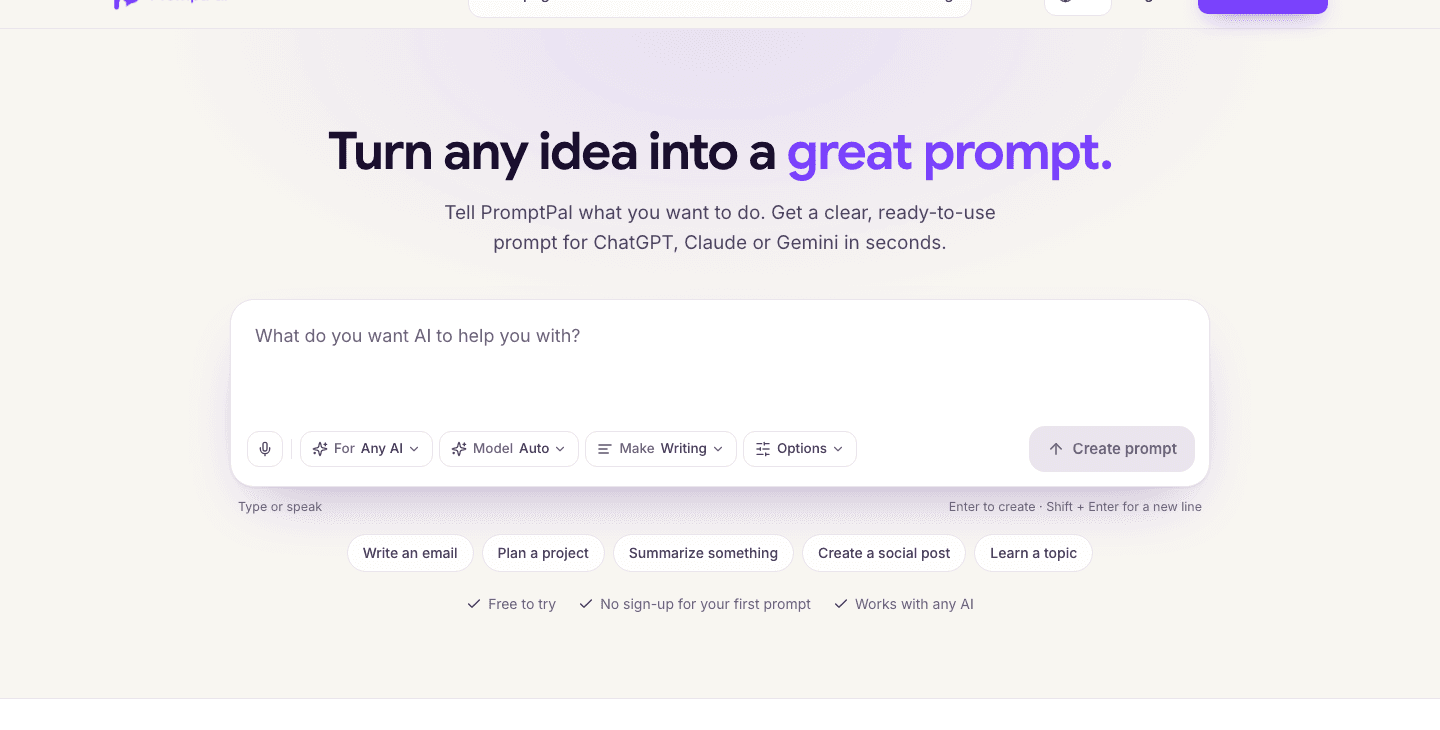
The PromptPal prompt generator: type or speak your idea, then choose the AI it is for, the model and what to make
How it works
Say what you want. One line is enough. You can also press the mic and dictate it.
Choose the target. Pick the AI it is for (ChatGPT, Claude, Gemini, Midjourney, Perplexity, or any AI) and what you are making: writing, research, code, an agent or system prompt, an image or a video.
Get a finished prompt. PromptPal writes it in clear sections (role, task, audience, tone, and format), marks any blanks you still need to fill in, and checks its quality with a score out of 100.
Use it anywhere. Copy it, export it, or open it straight in ChatGPT, Claude, or Gemini.
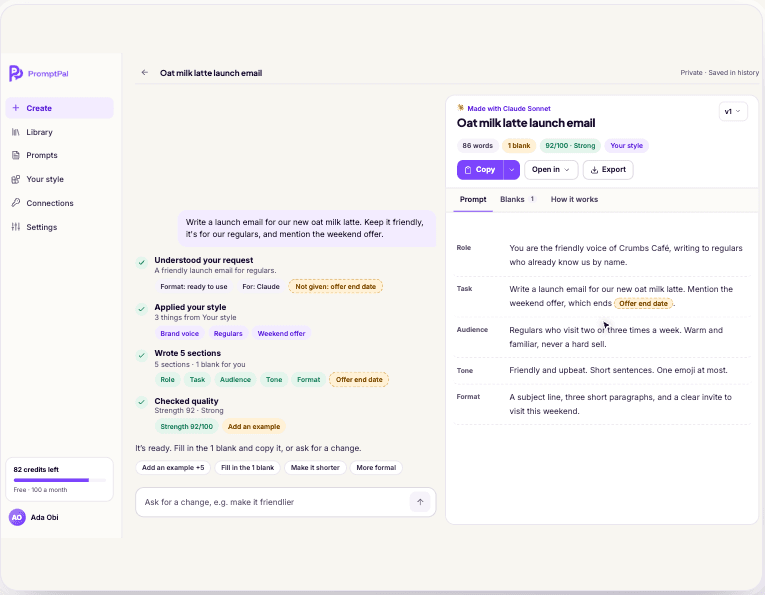
A finished PromptPal prompt with role, task, audience, tone and format sections, a quality score of 92/100 and one blank left to fill in
You can also choose which model writes your prompt. Pick Auto and PromptPal chooses a good fit for the task, or choose Claude Sonnet, GPT-5, DeepSeek V3, or, on Pro, Claude Opus. If the result is close but not right, ask for a change in plain words ("make it shorter", "add an example") and PromptPal revises it.
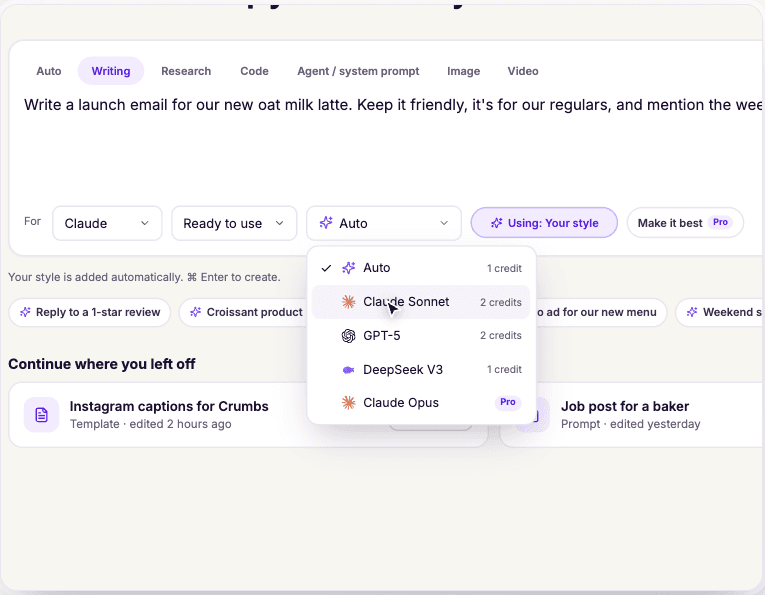
The PromptPal model menu with Auto, Claude Sonnet, GPT-5, DeepSeek V3 and Claude Opus
A template for almost everything. The PromptPal Prompt Store has more than 2,300 fill-in-the-blank templates across work and email, marketing, software engineering, research, career, and AI agents. It is free to browse, and a free account lets you copy and save any template.
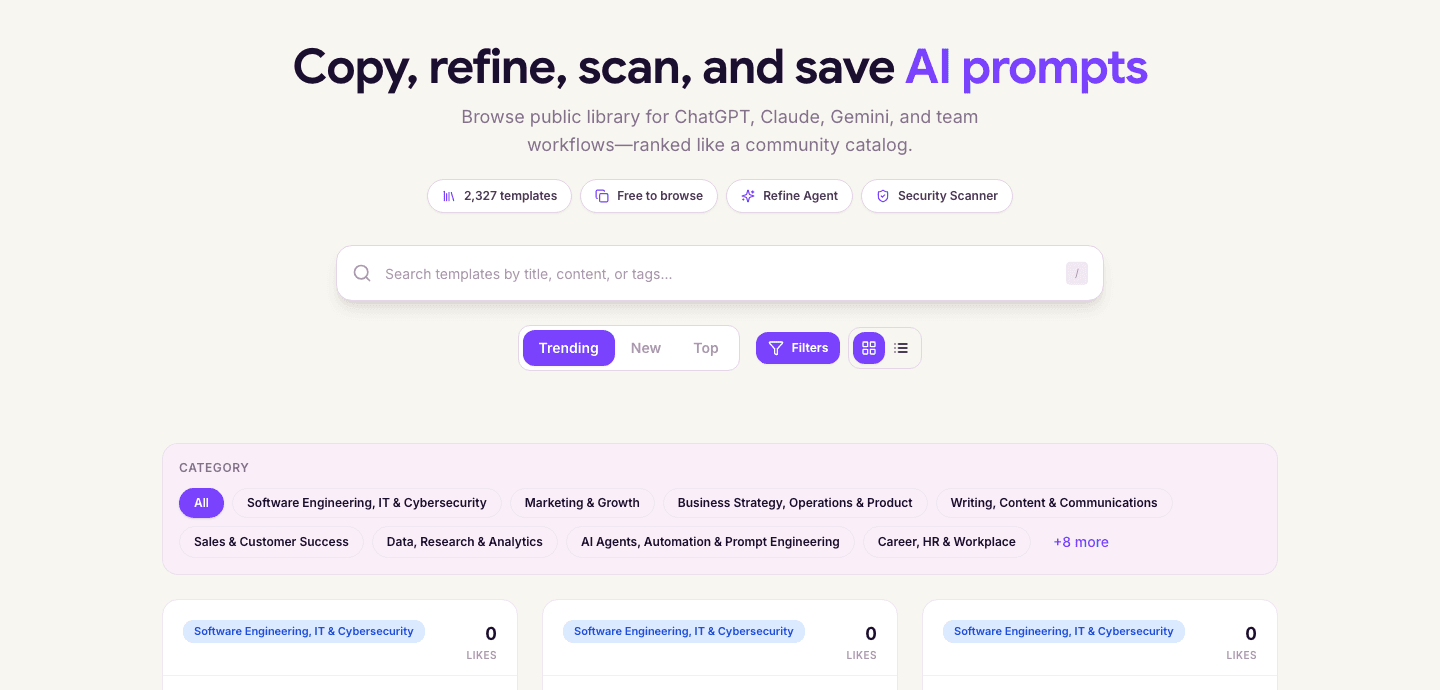
The PromptPal Prompt Store with 2,327 templates, search, and categories such as marketing, software engineering and AI agents
It works where you already use AI. Most prompt generators stop at "copy this prompt". PromptPal goes further:
The free Chrome extension scores and improves your prompt inside ChatGPT, Claude, Gemini, and 20+ other sites, then puts the improved version back in the chat box.
Connectors let you use PromptPal from inside Claude, ChatGPT, Cursor, and VS Code over MCP. Setup takes a minute: paste one address, sign in, and test.
You can export your personal style as Cursor rules or a CLAUDE.md file, so coding agents follow it too.
Developers and automation builders can pull versioned prompts at runtime through the API, n8n, Make, LangChain, or CrewAI.
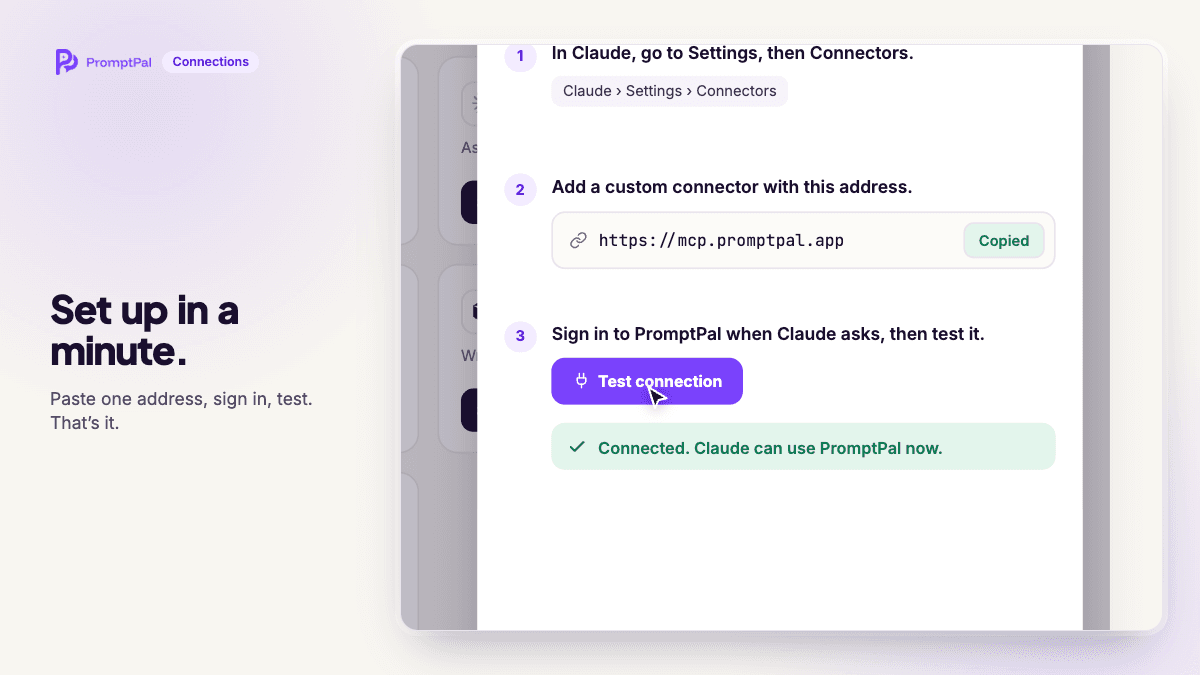
Connecting PromptPal to Claude in three steps: open Connectors, add the PromptPal address, then sign in and test
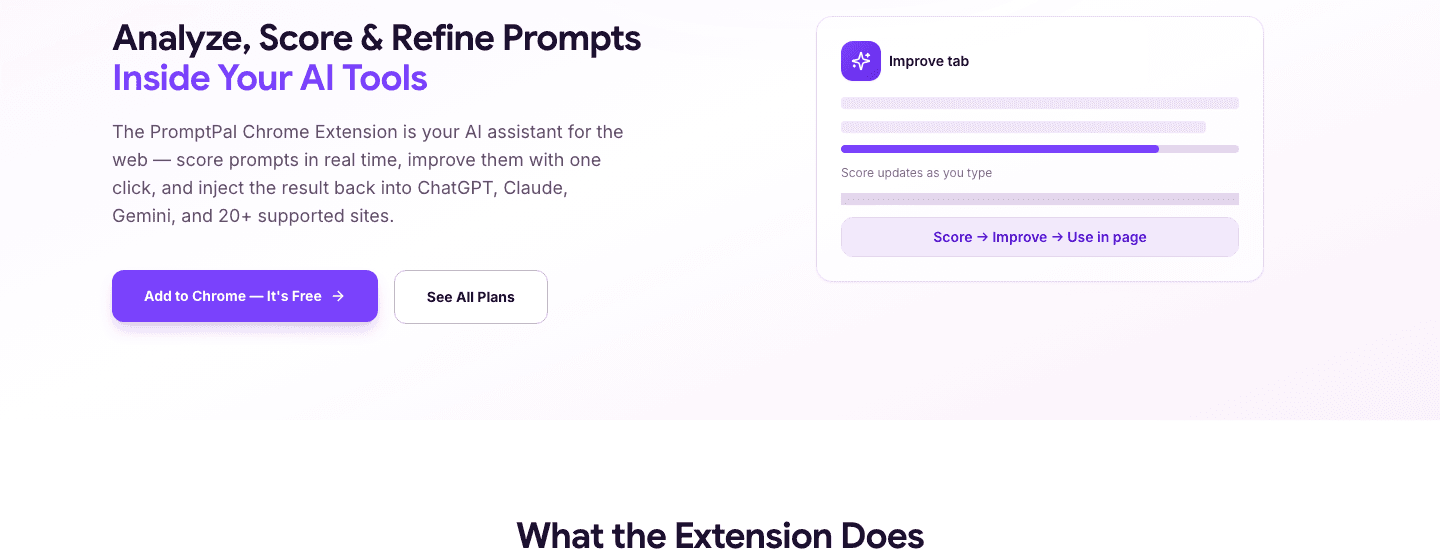
The PromptPal Chrome extension scores, improves and inserts prompts inside ChatGPT, Claude, Gemini and 20+ sites
Built for teams too. Team plans add a shared prompt library, workspaces, role management, and analytics, and Team Pro adds audit logs and approval workflows. That means everyone on the team uses the same tested prompt instead of their own copy.
Pros
Your first prompt needs no account, and the free plan includes 100 credits a month (about 25 prompts)
Prompts come out in clear sections with a quality score and marked blanks
Works for ChatGPT, Claude, Gemini, Midjourney, Perplexity, and any other AI
2,300+ templates in the Prompt Store
Chrome extension, MCP connectors and API, so prompts reach the tools you already use
Refine Agent, version history, and a Prompt Playground on paid plans
Team workspaces with a shared library, roles, audit logs and approvals
Cons
The most capable model (Claude Opus) and "Make it best" are on Pro
Credits are used per prompt, so heavy users will want a paid plan
The browser extension is for Chrome only
Pricing
Free: 100 credits a month (about 25 prompts), 5 templates, 4 basic models
Starter: $7.99/month for 1,000 credits (about 250 prompts), all models, unlimited templates, the Playground and API access
Pro: $14.99/month for 5,000 credits, the extended Refine Agent, unlimited version history and analytics
Team Starter: $14.99 per seat per month; Team Pro: $29.99 per seat per month; Enterprise is custom
Every paid plan has a 7-day free trial, and annual billing saves 20%.
Try it: create your first prompt free on PromptPal. No sign-up needed.
2. Anthropic Console prompt generator
Best for: developers building on the Claude API who need a system prompt.
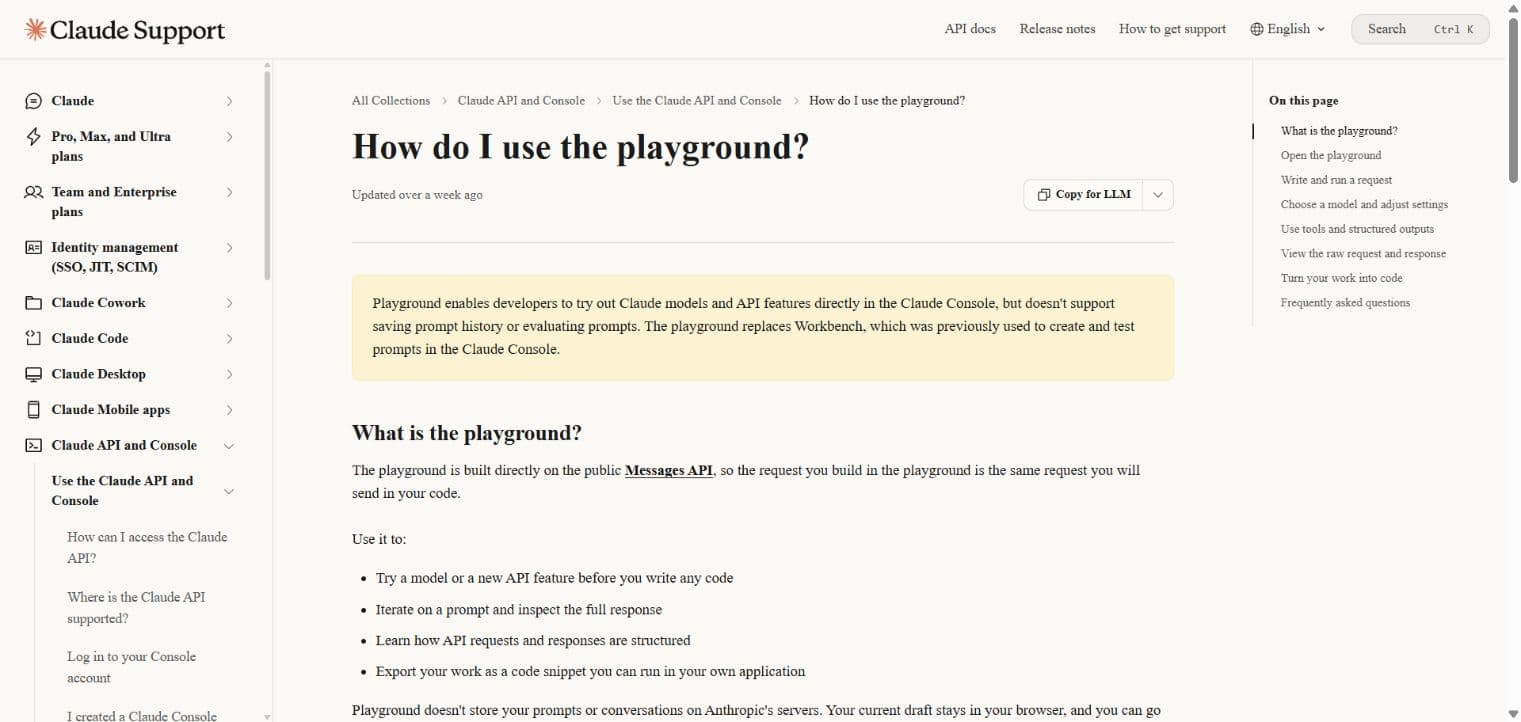
Anthropic's Console includes a prompt generator. You describe the task, and it writes a full system prompt using the conventions Claude responds to best, such as XML tags for inputs and clear instruction ordering. Because Anthropic maintains it, the output tracks current Claude best practices.
Pros: tuned for Claude; built into the Claude developer workflow
Cons: Claude only; needs an Anthropic account and API key; no template library and nowhere to manage prompts
Pricing: standard Claude API usage
3. OpenAI Playground prompt generation
Best for: developers building on the OpenAI API.
The OpenAI Playground can generate a system prompt from a description, and you can test it with OpenAI models right away in the same window. That quick loop is useful if you only ship on OpenAI models.
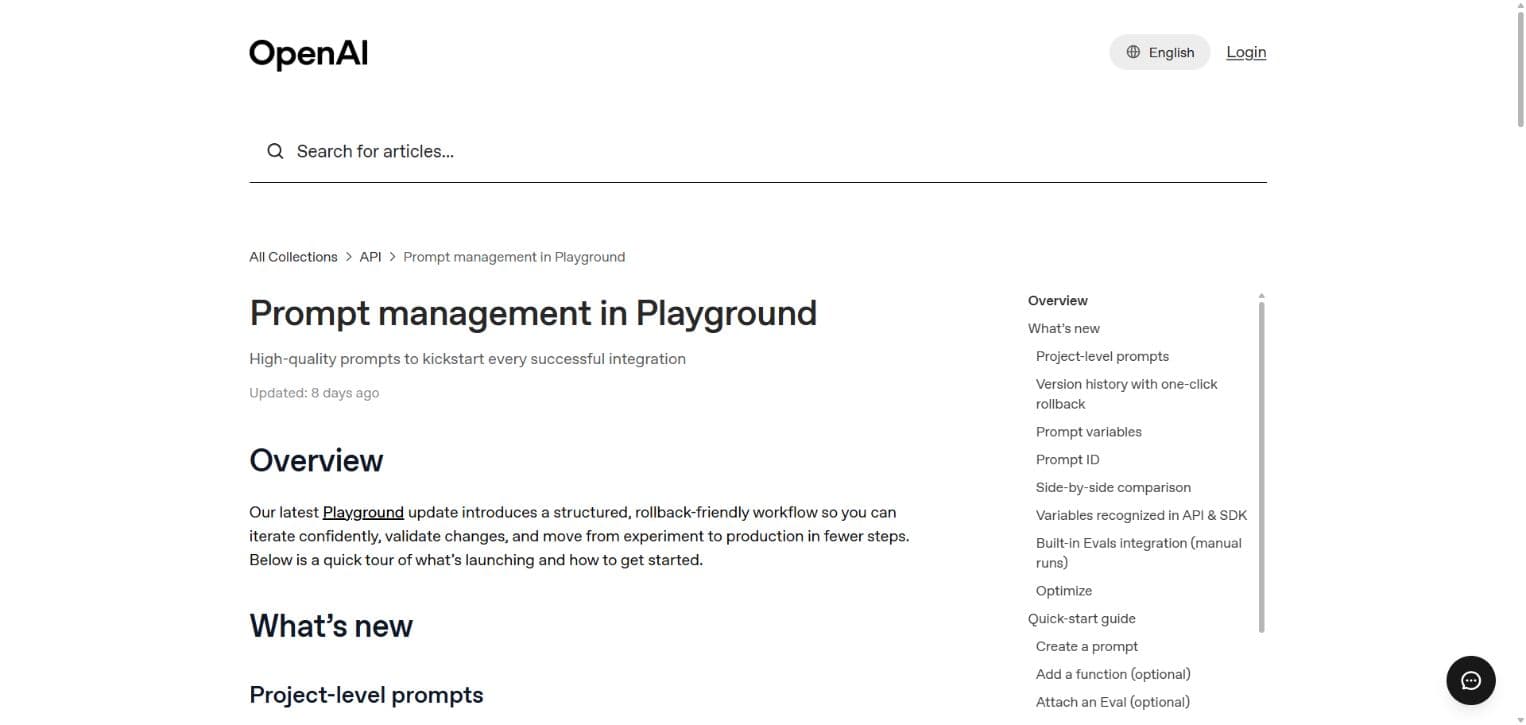
Pros: generate and test in one place; tuned for OpenAI models
Cons: OpenAI only; needs an API account; not built for non-technical users
Pricing: standard OpenAI API usage
4. PromptHub
Best for: teams that want to organize, version, and review prompts together.
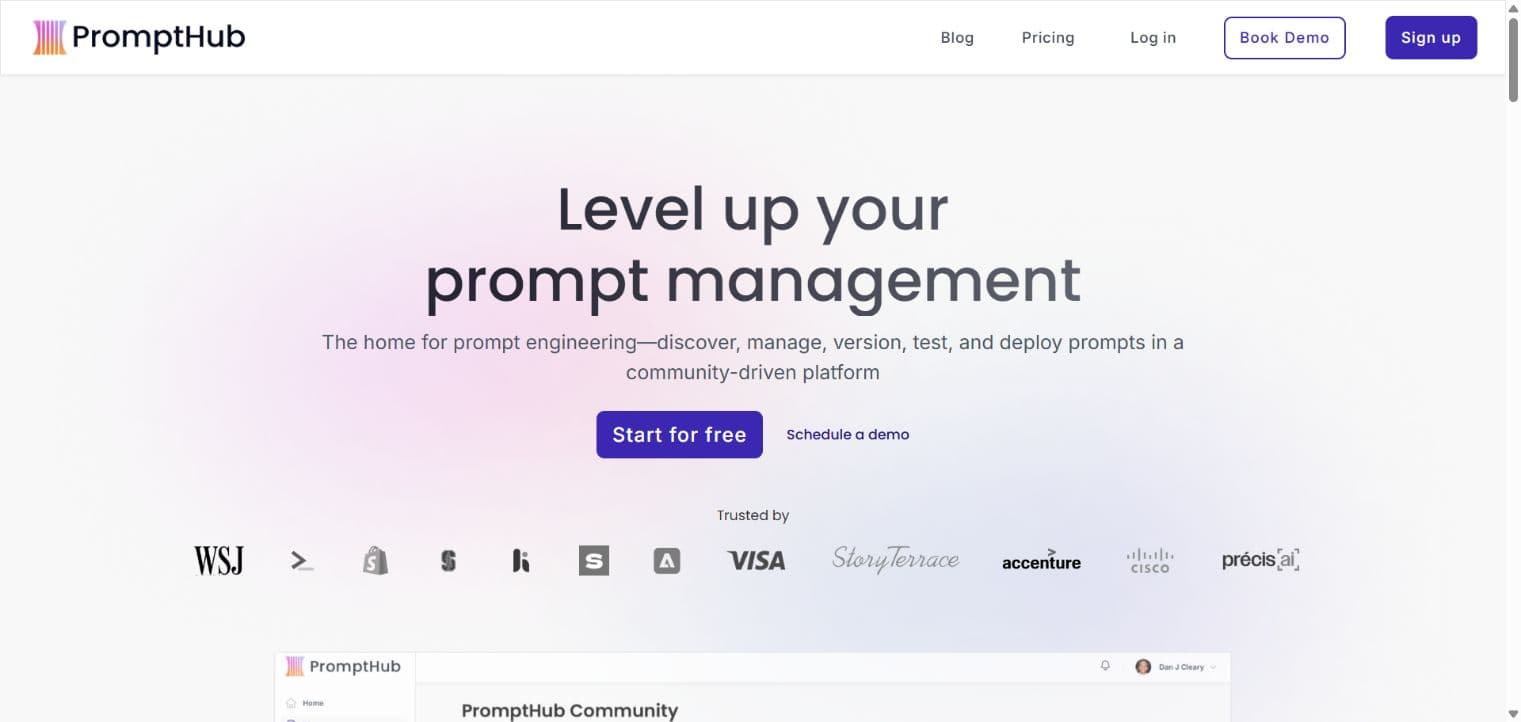
PromptHub is built around collaboration. You can generate or write a prompt, track changes with GitHub-style commits and rollbacks, and compare versions side by side before accepting a change. It also offers tools to shorten a prompt or add chain-of-thought reasoning.
Pros: strong version control; side-by-side testing; built for teams
Cons: prompts are public on the free plan; testing outputs needs your own API keys
Pricing: free for public prompts with 10 enhancements a month; paid plans from about $12/month
5. PromptLayer
Best for: engineering teams testing and versioning prompts inside production apps.
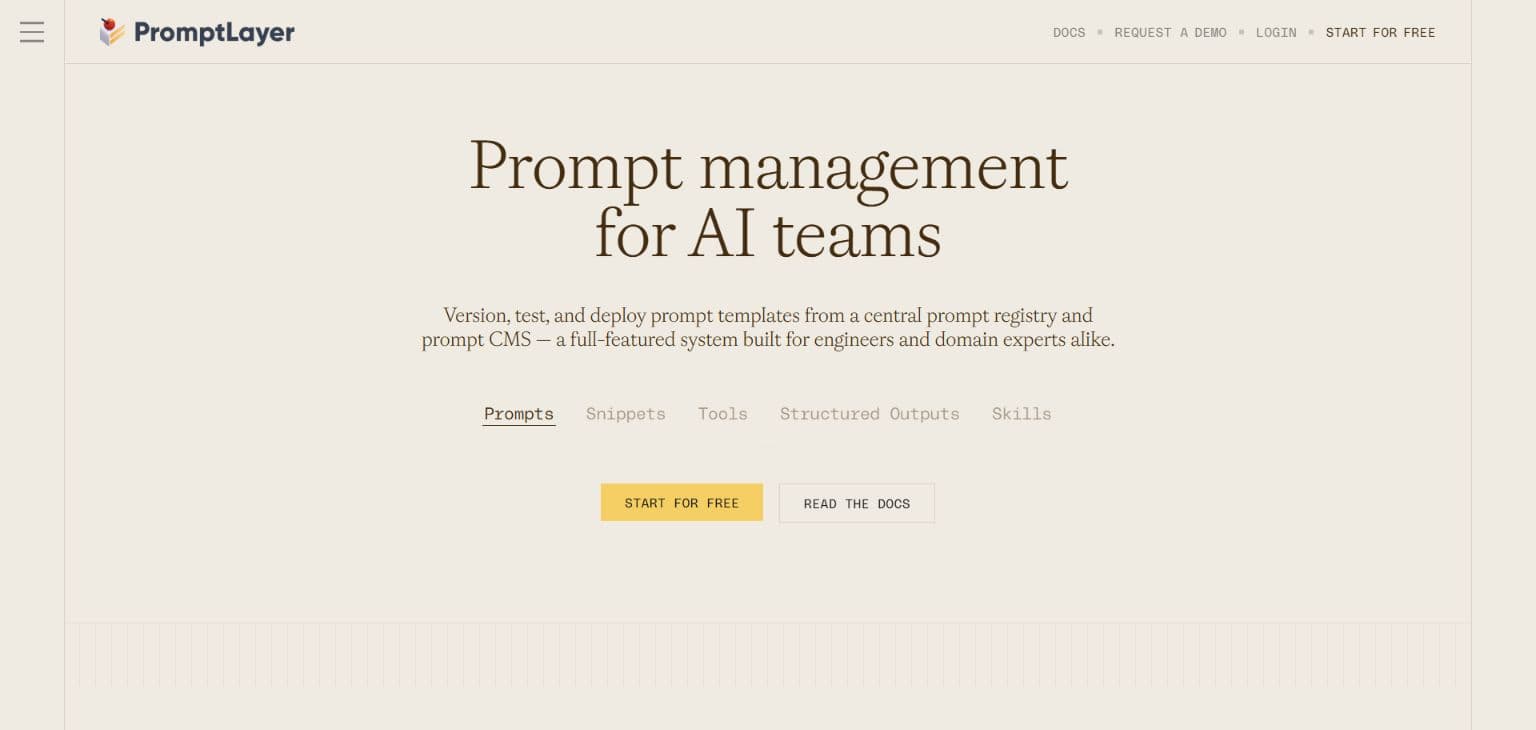
PromptLayer combines prompt creation, testing, versioning, and an agent builder. You can run prompts without setting up API keys, and an AI assistant suggests improvements based on your test results. Every version is kept so you can roll back.
Pros: built-in testing; version history; agent builder
Cons: the prompt optimizer is easy to miss; aimed at developers more than everyday users
Pricing: free for 10 prompts and 2,500 requests a month; paid plans from about $49/month
6. Prompt Cowboy
Best for: improving a prompt by answering a few questions.
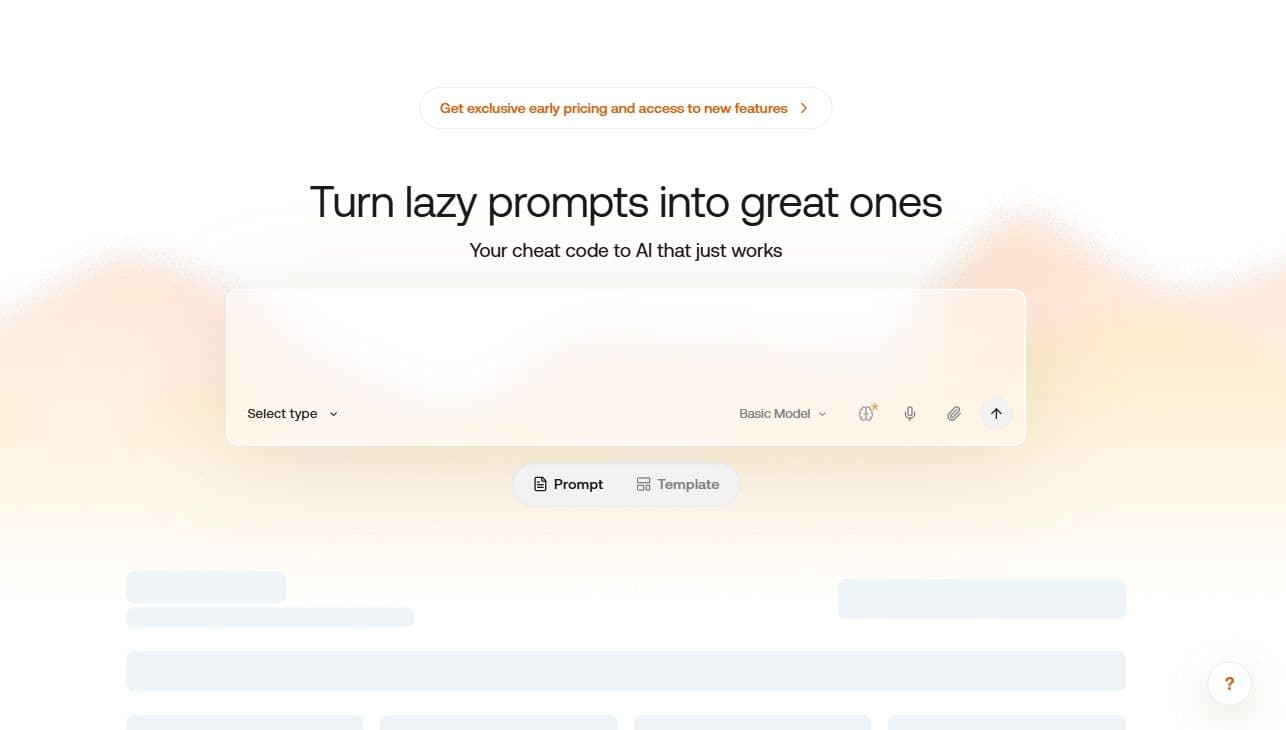
Prompt Cowboy optimizes your idea for a chosen type of task (writing, research, image, video, and more), saves it to a private library, and then asks follow-up questions about your audience and use case to sharpen it. It also suggests companion prompts.
Pros: guided questions; private library; suggests related prompts
Cons: no built-in testing; limited model targeting
Pricing: free for 10 prompts a month; paid plans from about $11/month
7. AIPRM
Best for: ChatGPT users who want ready-made templates inside the chat window.
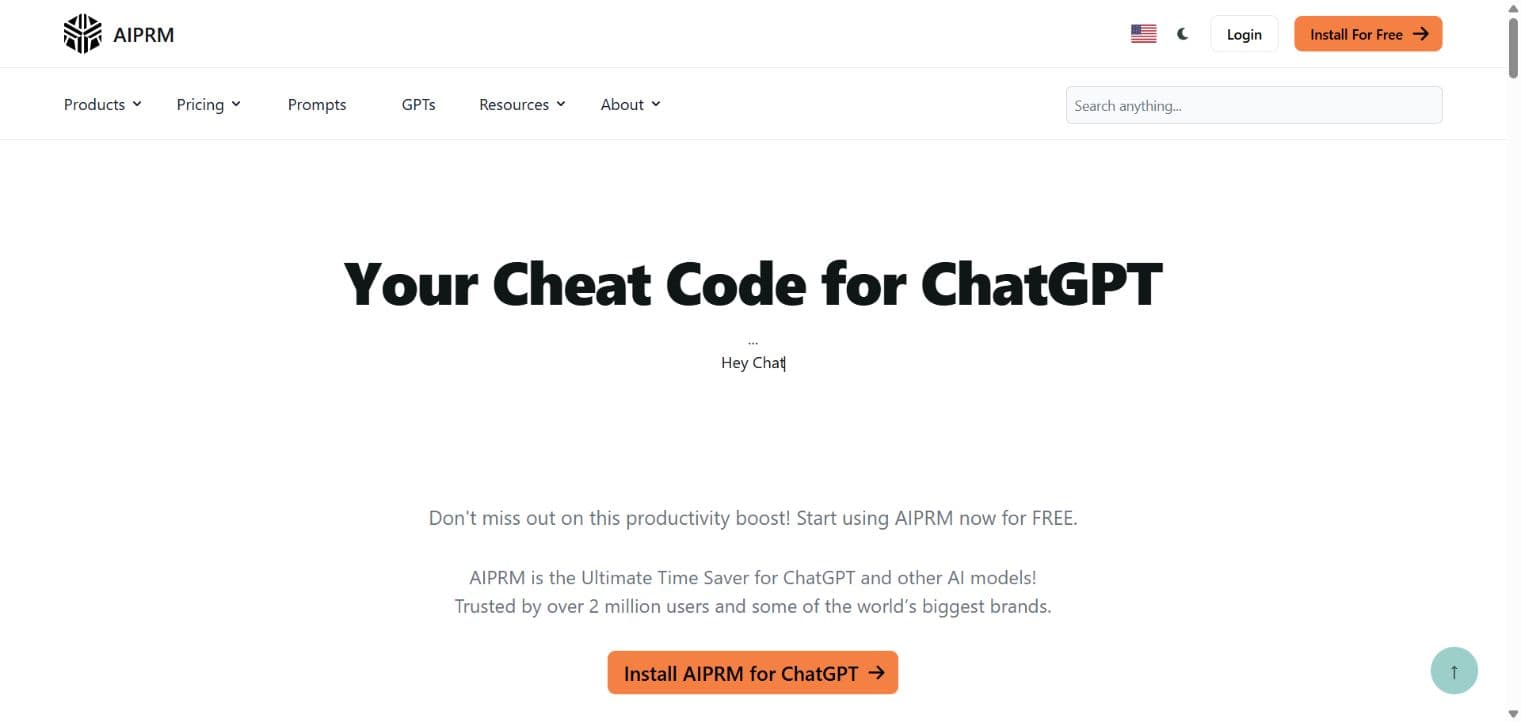
AIPRM is a browser extension that adds a large community marketplace of prompt templates to ChatGPT. You pick a template, fill in a few fields, and it builds the prompt for you.
Pros: thousands of templates; works inside ChatGPT
Cons: closer to a template library than a true generator; quality varies across community templates
Pricing: free community templates; paid tiers for private prompts and teams
8. Jotform AI Prompt Generator
Best for: a quick one-off prompt without creating an account.
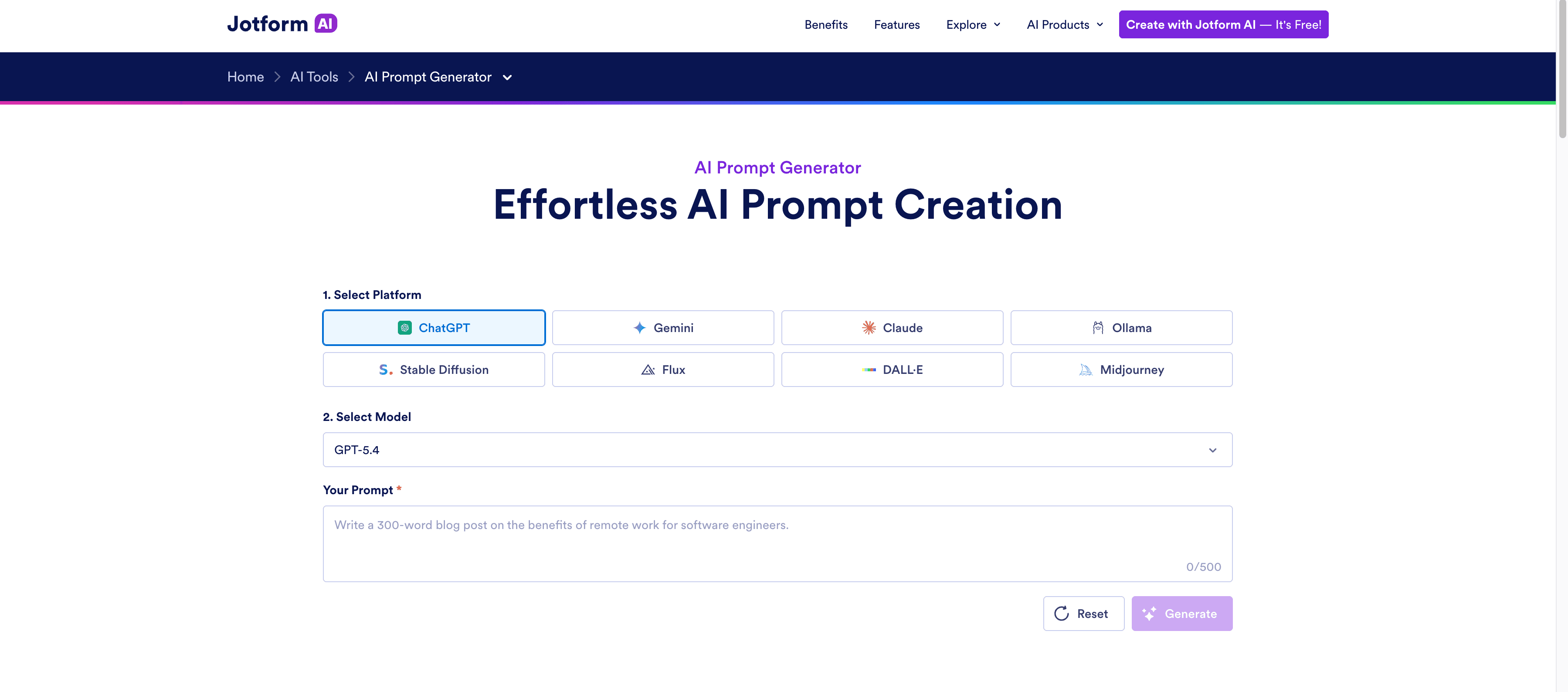
Jotform's free generator lets you pick a platform and model, including image models such as Midjourney and Stable Diffusion, and expands your idea into a more detailed prompt.
Pros: free and unlimited; no account; supports text and image models
Cons: no way to refine, save, or test prompts
Pricing: free
9. ChatGPT, Claude, or Gemini on their own
Best for: a quick fix when you are already in a chat.

You can ask any chatbot to "rewrite this prompt so it is clearer and more specific". It costs nothing extra and is often good enough for simple tasks.
Pros: free; nothing to install
Cons: results vary; you need to know what to ask for; no templates, history or sharing
Pricing: included with your chatbot plan
How to choose the right AI prompt generator
You want the best prompt with the least effort: PromptPal. Describe it in one line and get a finished, scored prompt.
You want to reuse what works: PromptPal, which saves prompts and templates to a library and shares them with your team.
You build on the Claude API only: Anthropic Console, then manage the result in PromptPal or PromptHub.
You build on the OpenAI API only: OpenAI Playground.
You need production logging and evaluation: PromptLayer.
You only need one prompt, once: Jotform or your chatbot.
A common mistake is choosing a tool that only does one step. Most people need to generate a prompt, refine it, save the version that works, and use it again next week. Pick a tool that covers the steps you repeat.
How to get better results from any prompt generator
Whichever tool you use, these habits make the output better:
Say why, not just what. "A launch email to get existing users to try the feature this week" beats "a launch email".
Name the audience. The same task needs a different prompt for developers than for customers.
Keep hard rules few and clear. List the two or three things that must never go wrong.
Ask for a format. Length, sections, tone, or exact JSON keys.
Save the version that works. A prompt you can reuse is worth more than a perfect one you cannot find again.
For a step-by-step walkthrough, see our guide to turning an idea into a production-ready prompt.
FAQ
What is the best AI prompt generator?
PromptPal is the best AI prompt generator for most people in 2026. It turns a one-line idea into a structured, scored prompt for any AI, includes 2,300+ templates, and has a free plan. Developers who only use one model's API may also like the Anthropic Console or OpenAI Playground generators.
Is there a free AI prompt generator?
Yes. PromptPal lets you create your first prompt without signing up, and its free plan includes 100 credits a month (about 25 prompts). Jotform's generator is free with no account, and you can always ask ChatGPT, Claude or Gemini to improve a prompt.
Do AI prompt generators work with ChatGPT, Claude and Gemini?
Most multi-model tools do. PromptPal writes prompts for ChatGPT, Claude, Gemini, Midjourney, Perplexity and other AI tools, and can open the finished prompt directly in ChatGPT, Claude or Gemini. The Anthropic Console and OpenAI Playground generators only target their own models.
What is the difference between a prompt generator and a prompt library?
A prompt generator writes a new prompt from your idea. A prompt library stores ready-made prompts you can browse and reuse. PromptPal does both: it generates prompts and has a Prompt Store with more than 2,300 templates.
Are AI prompt generators worth paying for?
If you write prompts every day or share them with a team, yes. Paid plans add more prompts, stronger models, version history, and shared libraries. PromptPal's paid plans start at $7.99 a month with a 7-day free trial.
Will prompt generators become unnecessary as AI models improve?
Not soon. Newer models need fewer tricks, but they still do better work when they get a clear goal, the right context, and a defined format. A prompt generator makes sure that information is there every time.
The bottom line
If you only need one prompt, any chatbot will do. If you use AI every day, you want a tool that writes a strong prompt from a rough idea, lets you refine and save it, and puts it to work in the tools you already use. That is what PromptPal is built for.
Next step: create your first prompt on PromptPal. It is free, and your first one needs no sign-up.
Stay Updated
Get the latest blog posts and AI prompt engineering tips delivered to your inbox.